

All Channels
All Channels is a powerful indicator designed to automatically draw trading channels and zones directly on your MetaTrader chart. By combining price action with dynamic zone detection, it helps traders visualize market structure, identify trend boundaries, and spot high‑probability trading opportunities. Support and resistance zones are among the most practical applications of channel analysis, as they highlight areas where price is likely to react based on historical market behavior. In practice, support and resistance zones act as a visual roadmap, guiding traders to align their strategies with market structure rather than relying on guesswork.
Category : Technical Indicators
Version : 3.3
Updated : 2026-02-12
Key Features
Description
Trading channels are visual frameworks that help traders identify price boundaries, trends, and potential breakout zones. Daily and weekly channels provide short‑ and medium‑term perspectives, while linear and spiral channels offer different geometric approaches to mapping market behavior
The EA provides access to four major channel types for analysis and trading :
- Daily channels are built using intraday highs and lows, giving traders a clear picture of short‑term sentiment. They are especially useful for day traders who want to identify support and resistance levels within a single session. A break above the daily upper channel often signals bullish momentum, while a drop below the lower channel suggests bearish pressure.
- Weekly channels, on the other hand, smooth out noise by focusing on broader price ranges. Swing traders and position traders rely on weekly channels to spot medium‑term trends and evaluate whether price is respecting or breaking longer‑term boundaries. Weekly channels often align with institutional flows, making them valuable for identifying more sustainable moves.
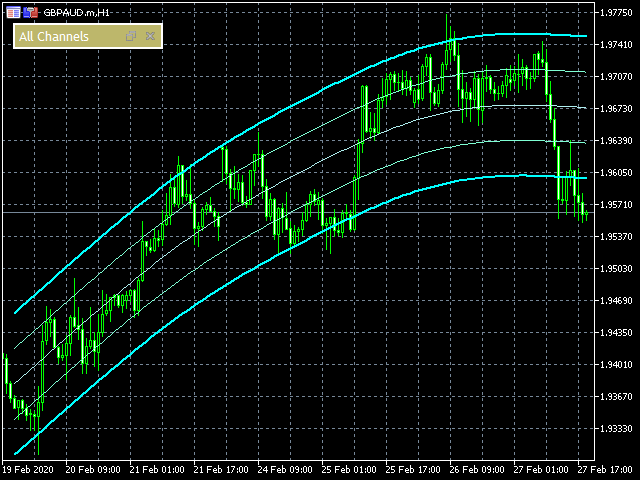
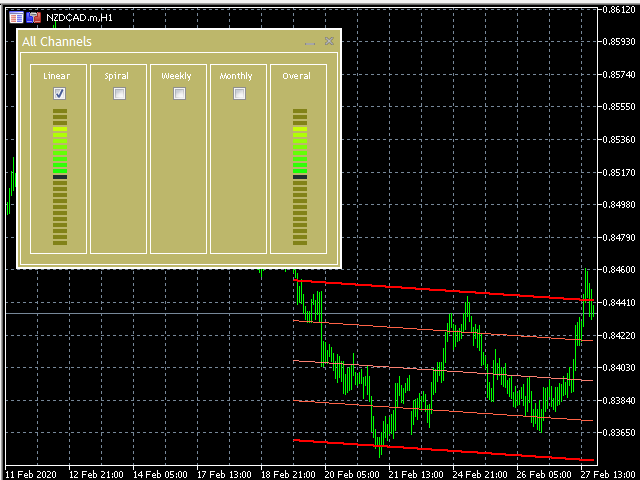
- Linear channels are the most common type, formed by drawing two parallel trendlines: one connecting swing highs and the other connecting swing lows. They can slope upward (ascending), downward (descending), or remain flat (horizontal). Linear channels are widely used because they provide a systematic way to identify entry and exit points, stop‑loss placement, and profit targets.
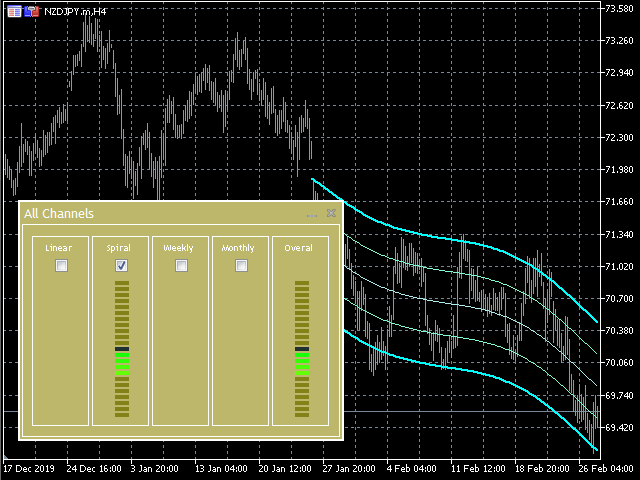
- Spiral channels are less conventional but offer a unique perspective. Instead of straight parallel lines, spiral channels curve outward, reflecting cyclical or rotational market behavior. They are often used to visualize price action in instruments that exhibit repeating cycles or wave‑like structures. Spiral channels can highlight areas where price tends to rotate back toward a central axis, making them useful for traders who focus on cyclical analysis or fractal patterns.
Usage and Manual:
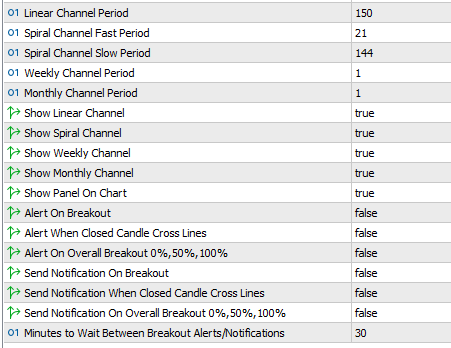
This indicator is designed to be intuitive for beginners while offering the depth and flexibility professionals expect. Below is the list of available inputs along with their default values.
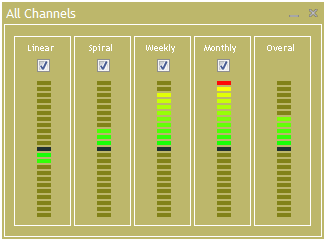
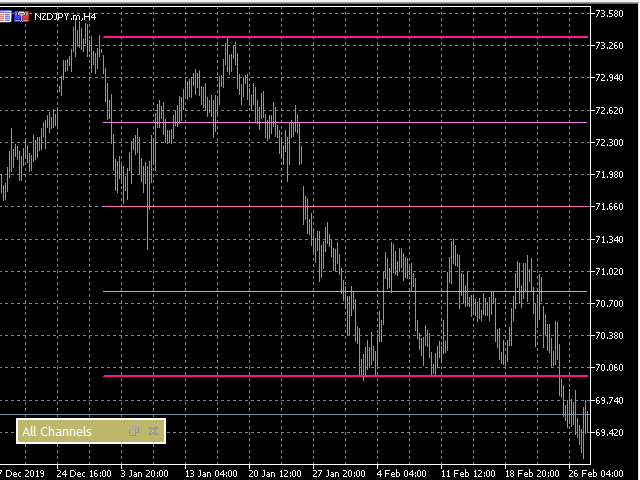
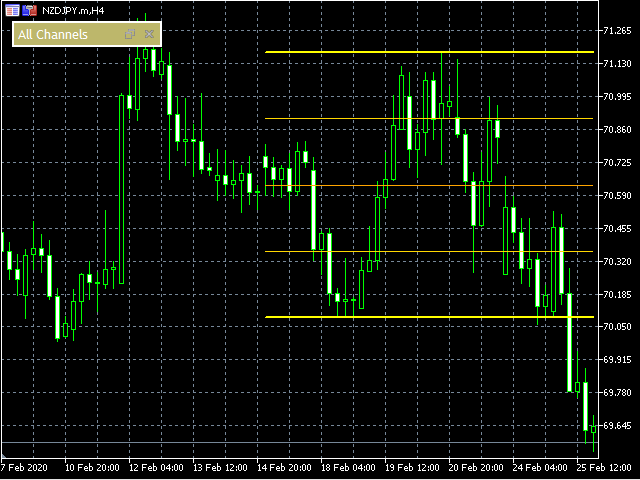
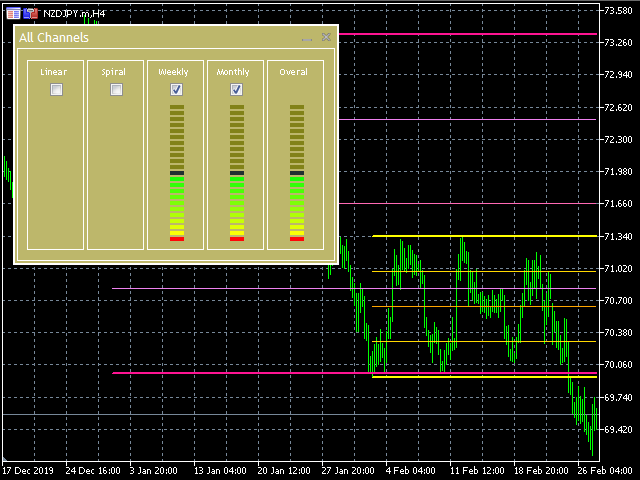
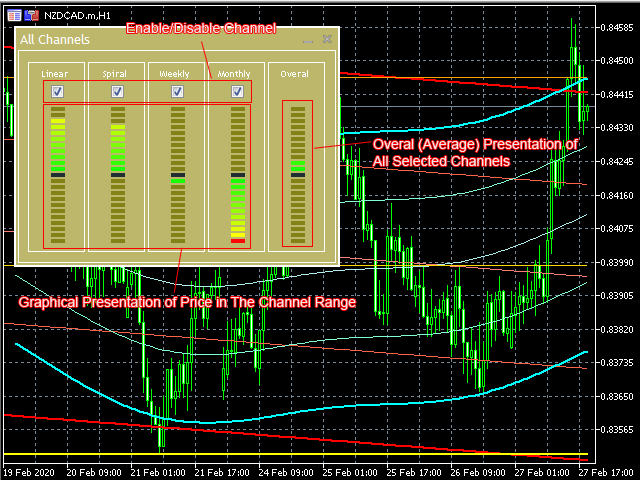
This indicator automatically plots channel lines (zones) on the chart and includes a built‑in graphical panel. The panel displays the relative position of the current price within the channel zones, along with an overall signal that reflects all four channels combined. Users can easily customize the calculation by excluding one or more channels through simple tick‑box controls on the panel.
About Channels (Zones):
Usage of Channels & Zones in Trading:
Trading channels and zones are essential tools for technical analysis:
- Channels highlight the upper and lower boundaries of price movement, showing trend direction and volatility.
- Zones mark areas of support and resistance, where price is likely to react.
- Together, they provide a visual roadmap of market behavior, helping traders plan entries, exits, and risk management.
Using channels and zones allows traders to:
- Identify trend continuation or trend reversal setups.
- Spot breakouts when price escapes a channel boundary.
- Recognize consolidation zones where accumulation or distribution occurs.
- Align trades with institutional footprints by focusing on high‑volume reaction areas.
Benefits of Using Channels (Zones):
- Clarity: Instantly see market structure without manual drawing.
- Efficiency: Save time by letting the EA auto‑plot channels and zones.
- Accuracy: Channels are calculated with precision, reducing human error.
- Adaptability: Works across multiple timeframes and instruments.
- Confidence: Trade with clear visual guidance for support, resistance, and breakout levels.
Need Help?
Here are some helpful resources. If you have questions or need assistance, feel free to contact us. You can submit a support ticket or leave a comment. we’ll respond as quickly as possible.
Screenshots
Pricing
New Offer Every 6 Hours up to 50%. Follow.
Testing is free. How to do?

3 Months
3 Months of unlimited use
2 Accounts Activation
Full Support
Free Updates
$ 30.00

6 Months
6 Months of unlimited use
3 Accounts Activation
Full Support
Free Updates
$ 40.00

Lifetime
Unlimited use, forever
5 Accounts Activation
VIP Support
Free Updates
$ 60.00
 to be a light for all traders.
Support and resistance zones are clearer than ever. Even beginners can spot them easily.
The spiral channels are unique. They highlight rotational price behavior, which is especially useful in cyclical markets like commodities.
How do support and resistance zones help traders?
They highlight areas where price is likely to react.
Support zones show where buyers step in, resistance zones show where sellers dominate.
All Channels EA plots these zones automatically, helping traders identify entries, exits, and breakout confirmations.
It took me a few days to understand spiral channels, but once I did, they became very useful.
I use All Channels EA alongside VWAP. Together they give me a complete picture.
Hi friend, Can you explain details of your trading strategy?
All Channels EA transformed my trading. Instead of manually drawing lines, I now rely on automatic channels that update in real time. Daily and weekly channels give me structure, while spiral channels highlight cyclical behavior I used to miss. It’s like having a professional analyst on my chart.
The overall signal display helps me confirm whether multiple channels agree.
I love that I can enable or disable specific channels depending on my strategy.
The comments section is now open. Feel free to share your feedback, reviews, questions, and personal experience with the product. You can also interact with other users and join the discussion. Our support team is active there as well and will respond whenever assistance is needed.