
Telegram Integration:
Some of our products integrate with the Telegram app to send and receive messages or notifications. To set up this integration, please follow the instructions below.
Table of contents :
Inputs Required in Expert Advisors:
When configuring your EA, you need to provide two inputs in the settings panel:
- Telegram Bot Token
- Telegram User/Channel ID
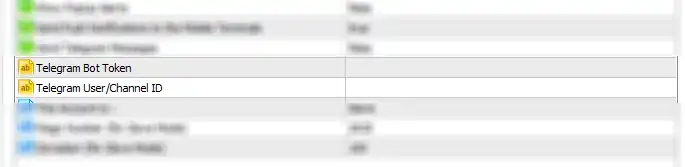
Follow the steps below to obtain and enter these values.
Settings in MetaTrader Terminal:
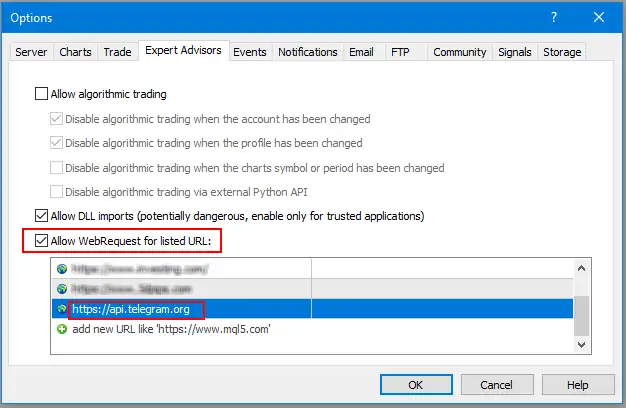
To allow communication with Telegram, you must enable the WebRequest option in MetaTrader:
- Go to Tools → Options → Expert Advisors.
- Enable Allow WebRequest for listed URL.
- Add the following URL to the list:
https://api.telegram.org
Understanding the Telegram Bot Token:
A Bot Token is required to connect your EA with Telegram. To create one:
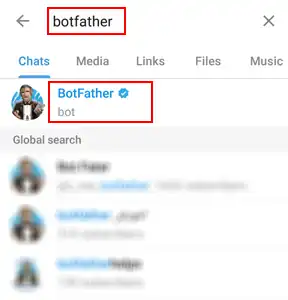
In your Telegram app, search for BotFather and open the chat.
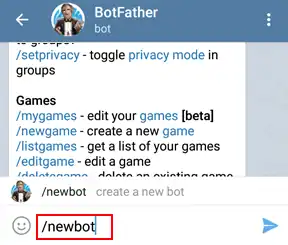
Type /newbot and press Enter.
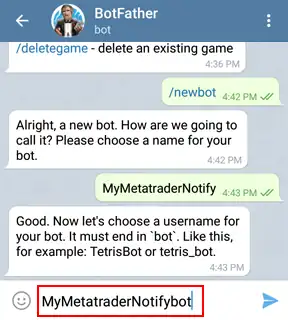
Enter a name for your bot.
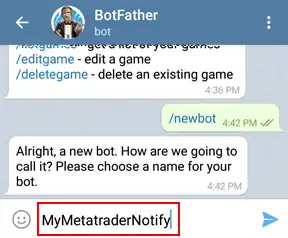
Provide a unique username ending with “bot”.
BotFather will generate your bot and provide an HTTP API Token.
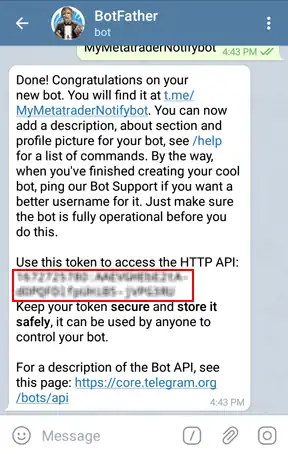
Copy this token and paste it into the Telegram Bot Token field in your EA inputs.
Setting Up User ID for Personal Notifications:
To send notifications directly to your Telegram account:
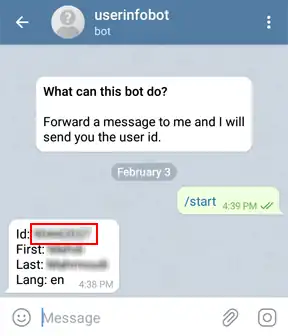
In Telegram, search for userinfobot and open the chat.
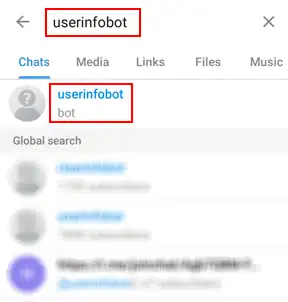
Click Start.
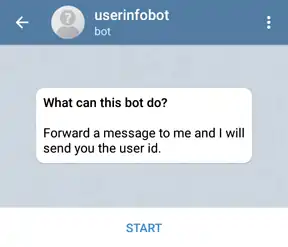
Your Telegram User ID will be displayed. Copy this code and paste it into the Telegram User/Channel ID field.
To enable notifications, start a chat with your created bot:
- Search for your bot’s username in Telegram.
- Open the chat and click Start.
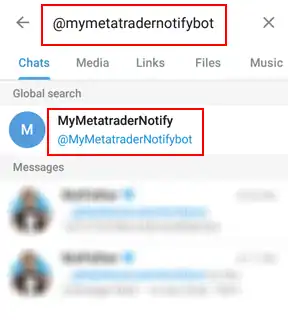
Keep this chat active. If you delete it, repeat the steps above to re‑enable notifications.
Setting Up Channel ID for Public Channel Notifications
If you want to send notifications to a public Telegram channel:
- Add your bot as an administrator of the channel.
- Enter the channel ID into the Telegram User/Channel ID field.
- Channel IDs begin with the
@symbol. - Example:
@MyNotificationChannel
- Channel IDs begin with the
 to be a light for all traders.